
Best Pomodoro App for Developers on Mac (2026)
Last updated: August 2026 · 8 min read
Most Pomodoro apps are built for students or generic knowledge workers. A developer workflow looks different: long debugging sessions that don't respect 25-minute boundaries, task context that needs to survive a timer ring, and sometimes a second monitor or stream where your focus status matters to other people.
This guide covers the Mac Pomodoro apps that actually hold up in a coding workflow — what each one does well, where it breaks down, and which one to pick depending on how you work.
What Developers Actually Need
Before comparing apps, it's worth being specific about what a developer workflow demands from a Pomodoro tool.
- Task display during the session. When the timer rings, you need to remember what you were doing. An app that shows your active task label on the timer surface eliminates a 30-second context-recovery moment at the start of every break.
- Streak tracking. Consistency is the point of Pomodoro. A running streak of daily sessions creates real accountability. Apps without it are fine for casual use but don't compound over weeks.
- Always-on presence. A timer buried in a browser tab is easy to ignore. A floating widget or menu bar icon that stays visible while you work is harder to dismiss. Native Mac apps handle this better than web apps in most cases.
- Low interruption cost. You should be able to start, pause, and glance at the timer without leaving your editor. Any app that requires switching to a browser tab for basic controls is adding friction at the wrong moment.
- Session history. Knowing you completed 6 Pomodoros yesterday matters for calibrating your workday. Basic session tracking is a minimum; anything with charts or trend views is a bonus.
If you also stream your development work on Twitch or YouTube, add one more requirement: the timer should surface in OBS without a separate manual countdown widget. More on that in the Focusdoro section below.
For a deeper look at adapting the technique itself to coding, see the Pomodoro technique for developers guide.
The Candidates
There are dozens of Pomodoro apps on macOS. Most of them are identical: a countdown, a break timer, and maybe a session counter. The ones that have earned a real user base in developer communities are a shorter list.
| App | Platform | Task display | Streak tracking | OBS overlay | Free tier |
|---|---|---|---|---|---|
| Focusdoro widget | Mac / Win / Linux | Yes | Yes | Yes | Yes |
| Be Focused Pro | Mac / iOS | Yes | No | No | Paid ($4.99) |
| Pomofocus.io | Web (any) | Yes | No | No | Yes |
| Toggl Track (Pomodoro) | Mac / Web | Yes (via time entries) | No | No | Free tier |
| Marinara (Chrome extension) | Chrome only | No | No | No | Yes |
Focusdoro Desktop Widget
The Focusdoro desktop widget (v1.0.6, signed and notarized) is a native Tauri app that floats above your other windows. You get the same Pomodoro timer as the web app — work blocks, automatic break transitions, task label — in a compact always-on widget that doesn't require a browser tab.
What separates it from every other desktop timer in this list: it syncs with the web app and the OBS overlay in real time. Start a session in the widget, and the overlay on your stream updates automatically. You don't manage two separate timers.
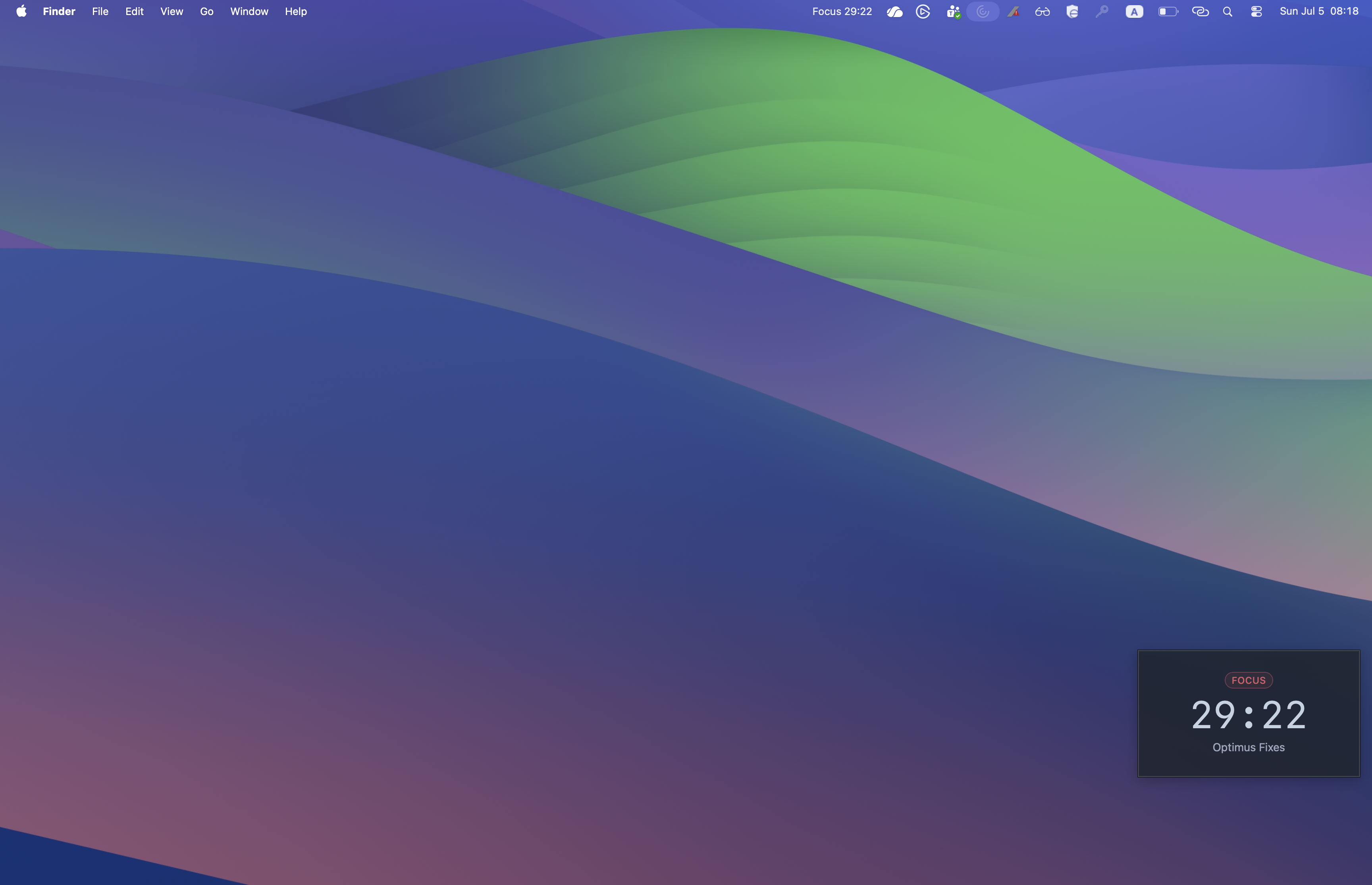
Widget floats above your workspace; matching countdown lives in the macOS menu bar so the timer is glance-able from any app.
The features that matter for a developer workflow:
- Always-on widget. Floats above your editor so the timer is always visible. No tab-switching to check how much time is left.
- Task display. Type your current task before starting. The widget and the OBS overlay both show it. When the timer rings, your task is still there.
- Streaks. Tracks your current streak, best streak, and session history. The history page shows completed Pomodoros over time — useful for spotting which days you actually focus versus which days get eaten by meetings.
- Opt-in leaderboard. If you want external accountability, Focusdoro has an opt-in leaderboard. You can see where you rank against other users by Pomodoros completed. Opt-in only — you are not visible by default.
- OBS overlay (bonus for developer streamers). If you stream your coding work, Focusdoro's browser-source overlay shows the same timer, phase, and task to your viewers. No separate countdown widget needed. See the OBS Pomodoro setup guide for the full walkthrough.
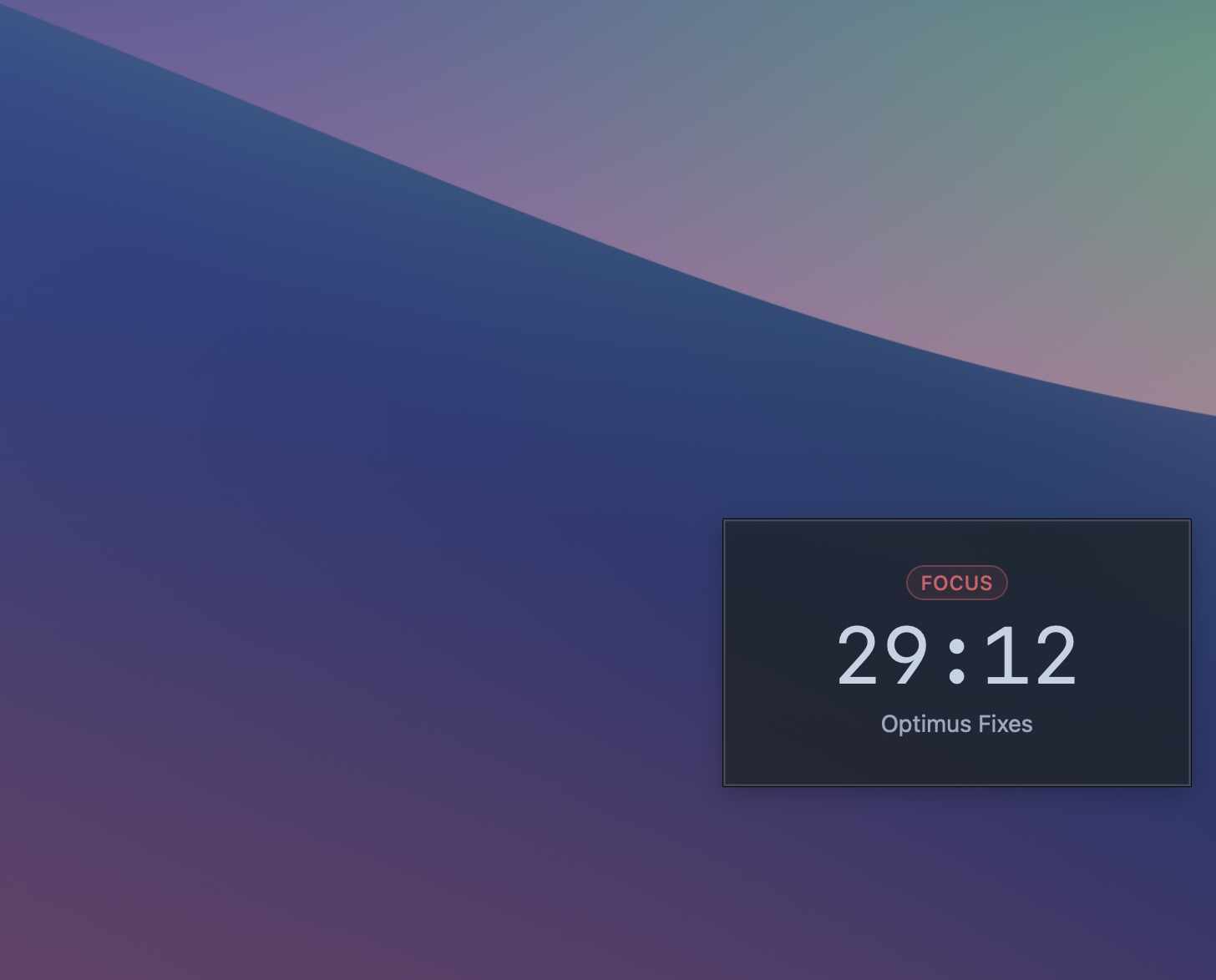
Compact steady state — phase badge, countdown, and active task label.
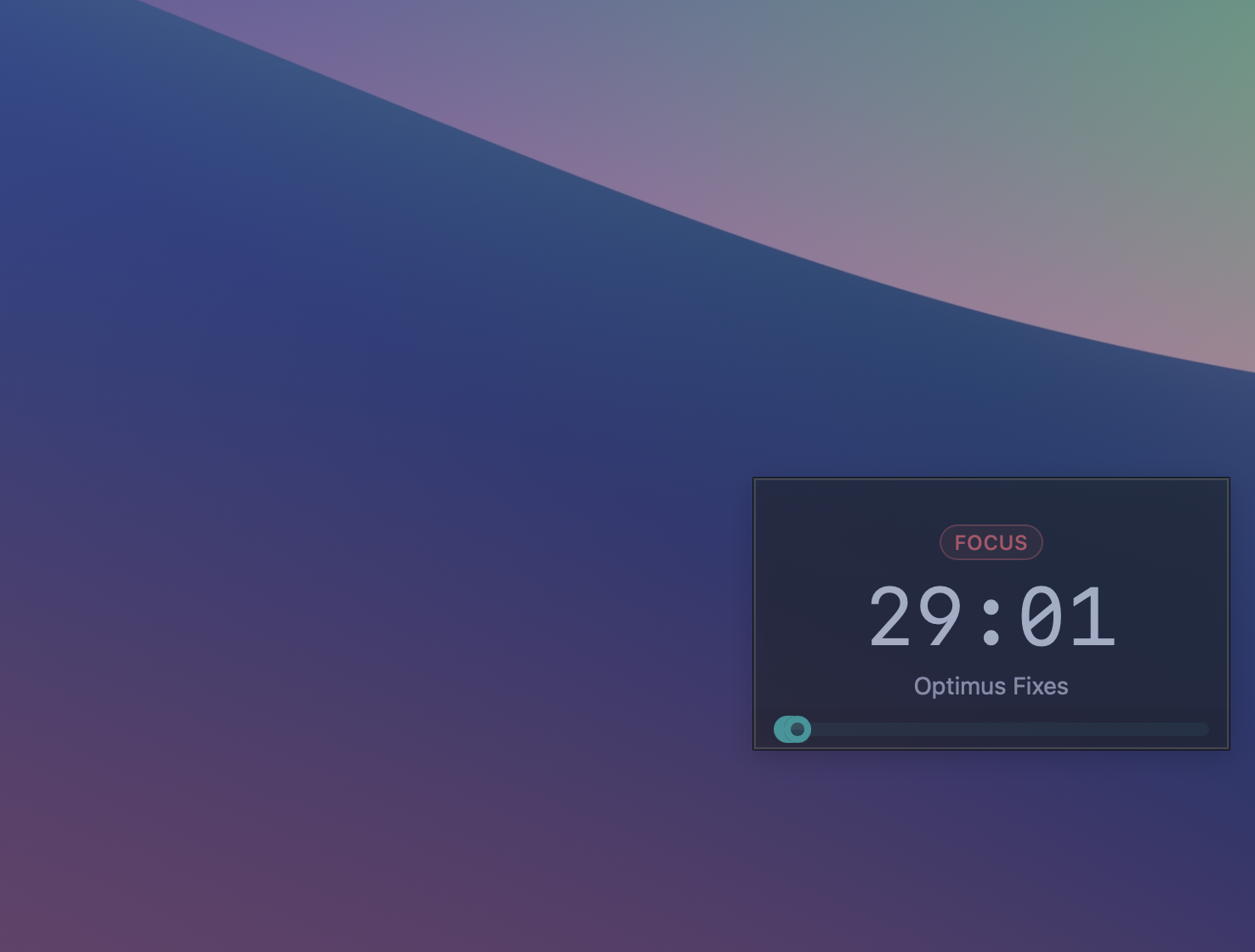
Opacity slider — dial the widget translucent so it sits over your editor without blocking code.
The widget installs as a standard macOS app. Open the DMG, drag to Applications, and the first launch prompts for notification permission (for break alerts). Apple Silicon and Intel builds are both included.
Core features including the widget, streaks, and history are free. Focusdoro Pro unlocks additional themes.
Also try the Focusdoro desktop widget
The same timer, native on macOS, Windows, and Linux. Free download, no signup required.
Get your free OBS overlay
Sign up free and drop a live timer into OBS in 60 seconds.
Be Focused Pro
Be Focused Pro ($4.99 one-time, Mac App Store) is the most polished native Mac Pomodoro app in terms of OS integration. It lives in the menu bar, supports Apple Watch sync, and follows macOS design conventions closely. Task lists are built in and tasks carry over between sessions.
Where it falls short for the use cases in this guide:
- No streak tracking across days. You see a session count for the current day but there is no running streak or history view that shows week-over-week patterns.
- No OBS integration. Be Focused Pro is a personal tool. If you stream your development work, your focus session is invisible to viewers.
- No cross-platform support. If you switch between Mac and a Linux dev machine, Be Focused Pro doesn't follow you.
It is a strong choice if your requirements are: native Mac only, no streaming, and you prefer to pay once rather than use a free tier. For developers who also stream or want multi-device consistency, it is the wrong fit.
Pomofocus.io
Pomofocus is the most widely used free Pomodoro tool in developer communities, partly because it requires nothing: open a browser tab, start the timer. No account, no install. The interface is clean and the task list is functional.
The trade-offs are predictable for a browser-based tool:
- No always-on presence. The tab competes with everything else in your browser. It is easy to forget it is running or to accidentally close it.
- No streak tracking or session history. Every day starts fresh. If consistency accountability matters to you, Pomofocus won't provide it.
- No native Mac integration. No menu bar, no notification center timing, no Dock badge. You get browser notifications if you enable them, which most people ignore.
Pomofocus is the right starting point if you want to try the Pomodoro technique before committing to any app. It is not the tool to stick with once the technique is part of your daily workflow.
For a comparison of more tools relevant to streamers specifically, see the best Pomodoro timers for streamers roundup.
Other Options Worth Knowing
Toggl Track with Pomodoro. Toggl's desktop app has a built-in Pomodoro timer mode that ties each session to a tracked time entry. If you already use Toggl for billable-hours tracking, this is a natural fit — your Pomodoro sessions become time entries automatically. The limitation is that the Pomodoro feature is secondary to the time-tracking product, so the timer surface is less refined than a dedicated app.
Lungo / Lungo-style menu bar timers. Lungo keeps your Mac from sleeping during sessions, which is useful as a companion tool but is not a Pomodoro app in any meaningful sense. Worth keeping alongside your Pomodoro app if your Mac sleeps mid-session.
Focus To-Do. A cross-platform app that combines Pomodoro with a full task manager. If you want deep task management (subtasks, due dates, project boards) baked into your Pomodoro timer, Focus To-Do covers that. The trade-off is complexity — it is a significantly heavier tool than any other option in this list.
Your phone's built-in timer. The Pomodoro technique pre-dates purpose-built apps by decades. A kitchen timer or your phone's clock app work fine. The limitation is no task tracking, no history, and no cross-device sync — but if you just want to try the technique, this is a zero-friction starting point.
How to Pick the Right One
The decision mostly comes down to two questions.
Do you want cross-platform + OBS overlay? If you work across Mac, Linux, or Windows, or if you stream your development work, Focusdoro is the only tool in this list that handles both. The desktop widget runs on all three platforms. The OBS overlay is built in, not an afterthought.
Do you want strict native Mac integration with no account required? Be Focused Pro is the answer. It is the best-integrated native Mac experience — menu bar, Apple Watch sync, task lists — with a one-time price. You give up streaks, history, and any streaming integration.
Start with Pomofocus if you have never used Pomodoro before and want to try it for a week without installing anything. Once the technique sticks, pick a tool that matches your actual workflow.
For how the technique itself applies to developer work — debugging sessions, PR reviews, handling meetings — see the Pomodoro technique for streaming guide if you stream, or the Pomodoro technique for developers guide for pure off-stream use.
Try Focusdoro free
Join streamers who use Focusdoro to keep their audience engaged during focus sessions.